Zone Settings
What Are Zone Settings?
Zone Settings define how a Zone behaves when a user enters, exits, or dwells within a geofence. They allow you to control timing, conditions, and additional data for precise and personalized location-based experiences.
Core Concepts
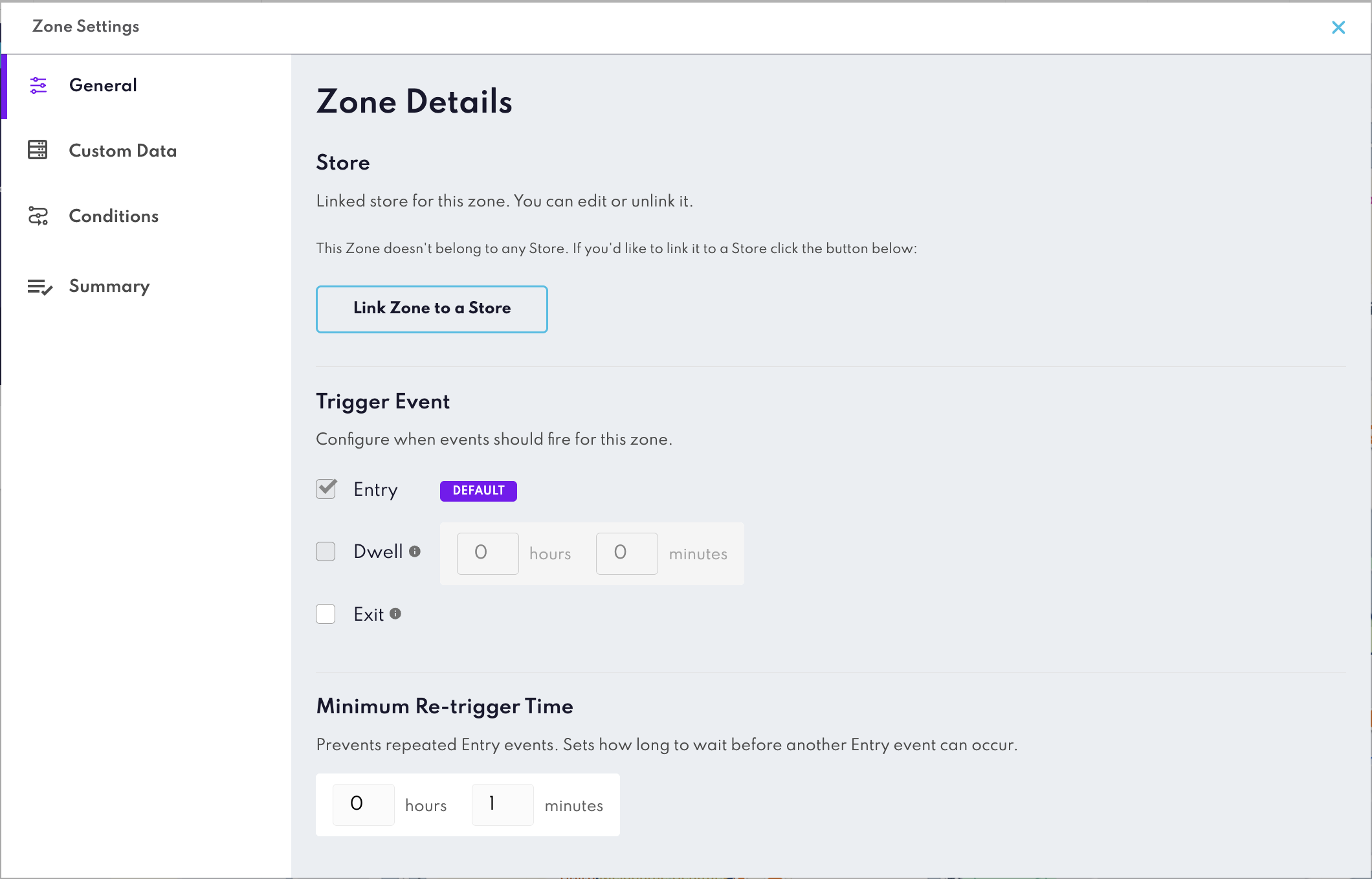
Entry Event
Triggered when a user enters the Zone’s geofence.Ideal for welcoming users or initiating engagement as they arrive.
Example: Send a push notification offering a discount when a customer enters your store.
Exit Event
Triggered when a user leaves the Zone’s geofence. Useful for feedback or follow-up actions after a visit.
Example: Prompt a survey after a customer exits the store.
Dwell Event
Triggered when a user remains inside the Zone for a specified duration. Helps identify meaningful engagement rather than quick visits.
Configuration: Set hours and minutes for the dwell threshold.
Example: Offer a loyalty reward if a customer stays for more than 10 minutes.
Minimum Retrigger Time (MRT)
Controls how often an Entry event can fire after the previous one. Prevents repeated triggers in quick succession, improving user experience.
How it works:
- MRT sets a cooldown period (e.g., 30 minutes, 1 hour) before the same Zone can trigger again for the same user.
- Applies only to Entry events.
Example: If MRT is set to 30 minutes, a user who re-enters within that time won’t receive duplicate notifications.
Other Zone Settings
- Conditions: Rules that must be met for the Zone to trigger.
- Day Range & Time: Schedule when the Zone is active.
- Travel Direction & Speed: Detect movement patterns, such as entering vs. exiting or traveling above a certain speed.
- Travel Path: Specify route-based triggers for more accurate targeting.
- Custom Data: Attach metadata to personalize campaigns or pass additional context to your app. Learn more here
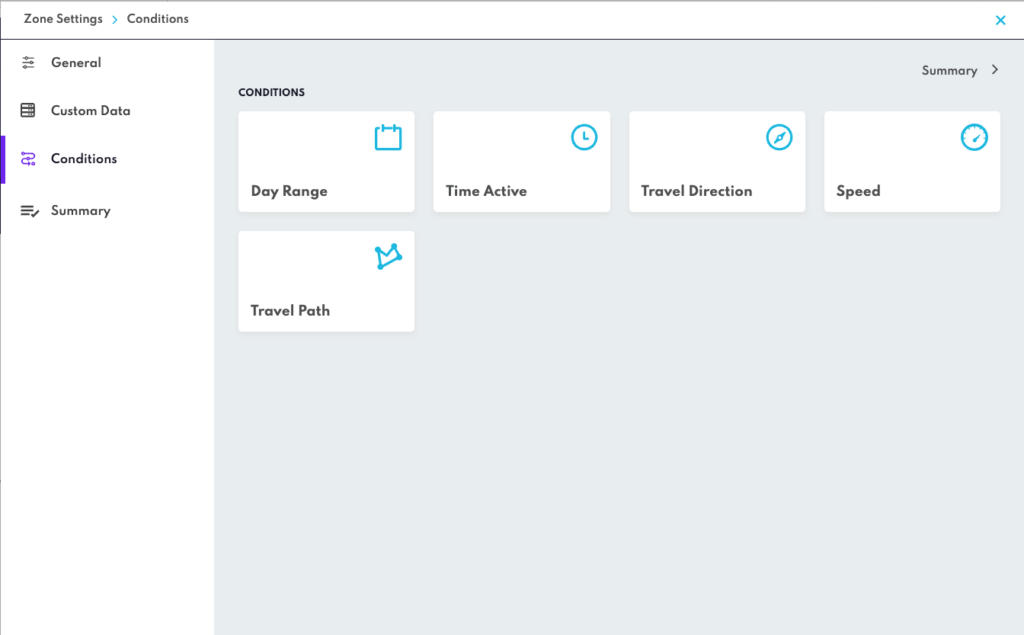
Click the Summary button in the top right corner of Zone Settings for an overview of all the Settings currently applied to your Zone.